
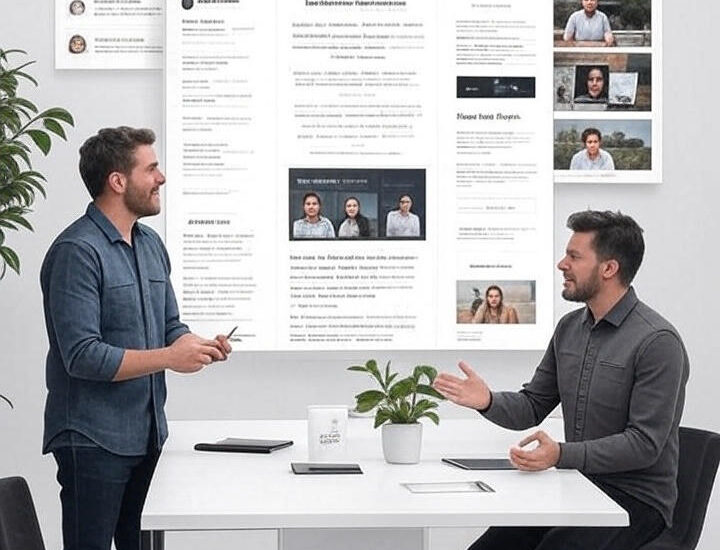
how to build podcast newsletters with pllugg to engage your audience
welcome to the third part of our series on maximizing your podcast’s reach with pllugg! in our first post, we covered turning episodes into seo-friendly blog posts, and in the second, we explored crafting social media content for platforms like x and instagram. now, let’s dive into creating newsletters and email campaigns using pllugg to nurture your podcast community, drive listener loyalty, and boost episode plays. with pllugg’s ai-powered tools, you can repurpose your episodes into compelling email content in minutes. here’s how.
why newsletters are a must for podcasters
email newsletters are a direct line to your audience, with open rates averaging 20-30% for engaged lists. they help you:
- build relationships: deliver episode highlights directly to subscribers’ inboxes, fostering loyalty.
- drive traffic: link to new episodes, blog posts, or social content to increase plays and engagement.
- repurpose efficiently: turn one episode into newsletter content that complements your blogs and social posts.
- grow your brand: regular emails keep your podcast top-of-mind, encouraging repeat listeners.
pllugg’s automated content generation makes creating newsletters simple, even for busy podcasters.
step-by-step guide to creating newsletters with pllugg
pllugg’s platform (app.pllugg.com) streamlines the process of turning podcast episodes into newsletter content. here’s how to do it effectively, building on the transcripts and highlights from your previous repurposing efforts.
1. start with your episode content
upload your podcast audio or video to pllugg, or use your rss feed to import episodes automatically, as covered in our earlier posts. if you’ve already generated transcripts or highlights for blogs or social media, you can reuse them for newsletters, saving time.
2. use pllugg’s ai highlights for newsletter content
pllugg’s ai identifies key quotes, summaries, and takeaways from your episode, perfect for newsletters. these elements form the core of your email:
- episode summary: use pllugg’s auto-generated summaries to give subscribers a quick overview of the episode’s value.
- standout quotes: highlight a compelling quote from your host or guest to hook readers.
- timestamps: reference key moments to tease audio or video clips (e.g., “hear sarah’s top tip at 12:34!”).
example quote:
“the secret to podcast growth? consistency and connection.” — emily carter, episode 45
3. structure your newsletter for engagement
a great podcast newsletter is concise, scannable, and action-oriented. here’s a structure to follow using pllugg’s outputs:
- subject line: make it catchy and relevant (e.g., “new episode: 3 secrets to skyrocket your podcast growth”).
- header: greet subscribers and tease the episode’s value (e.g., “this week, we’re diving into podcast growth hacks with expert emily carter!”).
- body: use pllugg’s summary as the main content, broken into 2-3 short paragraphs. include a key quote as a blockquote for emphasis.
- call-to-action: add a bold link to listen to the episode, read the blog post (from part 1 of this series), or follow your social media (from part 2). example: “listen now on spotify or read the full recap here.”
- footer: include your podcast’s branding, unsubscribe option, and a personal sign-off.
sample newsletter snippet:
hi podcast fans,
our latest episode with emily carter is packed with growth tips! key takeaway: “consistency and connection are the secret to podcast success.”
listen to the full episode or check out our recap blog here.
happy listening,
[your name]
4. personalize and segment
pllugg’s highlights let you tailor content to different audience segments. for example:
- new subscribers: share a “best of” episode summary to hook them.
- engaged listeners: highlight deep-dive insights or guest quotes to keep them coming back.
- lapsed listeners: use a teaser clip or quote to rekindle interest.
integrate pllugg’s outputs with email platforms like mailchimp or convertkit for easy personalization.
5. add visuals for impact
visuals boost email engagement by 65%. use pllugg’s upcoming quote image feature (or tools like canva for now) to create branded graphics from episode quotes. embed a podcast thumbnail or audiogram (from pllugg’s timestamps) to make your newsletter pop. keep file sizes small to avoid slow loading.
6. optimize for deliverability and engagement
to ensure your newsletter lands in inboxes:
- avoid spam triggers: use clear, non-salesy language in subject lines (e.g., avoid “free!” or excessive punctuation).
- mobile-friendly design: pllugg’s concise summaries are perfect for mobile readers, who make up 60% of email opens.
- track performance: monitor open rates and click-throughs in your email platform. test different subject lines or ctas based on pllugg’s varied highlight outputs.
7. cross-promote with other content
link to your blog post (from part 1) and social media posts (from part 2) in your newsletter to create a cohesive content ecosystem. for example: “loved this episode? share this quote on x: [link to tweet].” this drives traffic across platforms and amplifies your podcast’s reach.
why pllugg excels for newsletter creation
pllugg’s features make it a podcaster’s dream for newsletters:
- fast turnaround: generate summaries and quotes in ~100 seconds, ready to plug into your email platform.
- versatile outputs: use the same highlights for blogs, social posts, and emails, ensuring consistency.
- high accuracy: 98.9% accurate transcripts mean your quotes and summaries are reliable.
- scalability: perfect for solo creators or teams managing multiple shows.
for extra support, pllugg’s sister company, whatspodcasting, offers full-service podcast management, including email campaign setup.
final thoughts
newsletters are a powerful way to keep your podcast audience engaged and drive consistent listens. with pllugg, you can repurpose episode highlights into compelling emails that nurture your community and amplify your brand. stay tuned for the next post in our series, where we’ll explore how pllugg helps create short video clips to captivate your audience on platforms like youtube shorts and tiktok.
ready to connect with your listeners? sign up at app.pllugg.com and start crafting newsletters today!